Odd Places on Google Earth

Here below is my 10 favourite odd places pictures found on Google Earth. Inspite of it's truthness, let's Google Earth uncover it.


Giant Horse
Lat: 51°39'3.55"N
Lon: 3°15'20.91"W


What the Hell?
Lat: 50° 9'36.67"N
Lon: 83° 0'40.76"W


Field of Chess
Lat: 48°24'33.68"N
Lon:116°50'10.47"W


Uffington White Horse Replica
Lat: 31°39'46.10"N
Lon:106°35'20.94"W


White Snake of Baja
Lat: 31°37'59.02"N
Lon:114°57'1.18"W


Iraq Ship Wreck
Lat: 30°32'30.84"N
Lon: 47°49'33.96"E


Crosshairs
Lat: 37°25'1.09"N
Lon:116°51'36.14"W


Flying Car
Lat: 32° 0'43.28"S
Lon:115°47'11.02"E


Subway Come Out of the Underground
Lat: 42°21'40.12"N
Lon: 71° 4'13.98"W


Nice Bridge
Lat: 41° 2'18.30"N
Lon: 28°56'53.80"E

  Post a Comment

DES Cryptography Block Cipher from Delphi

As we know, there are many cryptographic application available in this world. Some of it are commercially, while the rest is free to used by. Well, I was interested on this subject since my curiosity about how to encode and decode a file. This article occasionally intended to my own self after being built a simple cryptography application using Data Encryption Standard (DES) 128 bit algorithms for couple years ago.

The DES method is one of the best way to secure your file. It's workflow is quite simple. To encode, give a string as your digital sign key and embed it into the file. While to decode, give again the string to put back the original file. The initialization procedure to create the block cipher you can see as shown below:

procedure CreateBlockCipher;
const BlockCiphers: array
[0..1] of TBlockCipherClass = (TDESCipher, TBlowfishCipher);
var Key: Int64;
begin
with TDoubleDWORD(Key) do
begin
R := $01234567;
L :=
$89abcdef;
end;
FBlockCipher.Free;
FBlockCipher :=
BlockCiphers[0].Create(Key,SizeOf(Key));
end;
Next below will explain you how to encode and decode the file

Input := TFileStream.Create(InputFileName, fmOpenRead);
Input.Seek(0, soFromBeginning);
InputSize := Input.Size;
CreateBlockCipher;

Output := TFileStream.Create(OutputFileName,
fmCreate);
Output.Seek(0, soFromBeginning);
ShowTransformingLabel(TransformingCaption);
if ((Sender = btnEnkripsi)
or (Sender = Enkripsi1)) then
FBlockCipher.EncryptStream(Input, Output)
else
FBlockCipher.DecryptStream(Input, Output);
And this is the picture of my application:


Next picture describes you the difference between the sample PDF file and the result file:

  Post a Comment

Watermark Image with MATLAB

I write down this article intentionally just to remind me that I used to made my first MATLAB based application couple years ago. I was researched about image watermarking technique at that time. The manual documentation related to it, I found somewhere over the internet and I was too curious to try it by my self.

Watermarking is a kind of common cryptography procedure to protect the owner file copyright. It supposed to support various of multimedia files such still images, videos and audio files. However, the process overview it self are quite simple, just embedding the original file with another key file refer to your digital signing. But, don’t ask about the programming. It’s so damn hard since you have to produce the result file which have similar quality as the original’s. Well, I am not planning to accept this kind of project again for the future…ever!

Why MATLAB? MATLAB are known as the scientist programming tool. It’s both analyze feature and simulation is great. You can find your self the standard example within the MATLAB setup, it is awesome anyway. The watermarking technique implementing matrix operation and mapping the source snap which has supported widely by the MATLAB. It’s overall composition to re-generate the watermark technique was the answer why I used this tool.

The core of watermarking should equipped with 2 main procedures such encode and decode. Encode functioned to embed the watermark file while decode is the reverse way back to the original file. These both procedures completely wrote down below:

Encode:
clear; % ambil gambar watermark global file_watermark wmark = imread([file_watermark]); wmark = double(wmark); [M,N] = size(wmark); wmarkv = wmark(1,:); for i=2:M, wmarkv = [wmarkv wmark(i,:)];end; % set random # generator rand('state',13); % bangkitkan permutasi acak vektor indp = randperm(M*N); % bangkitkan vector wmark for i = 1:length(indp), wmarkvs(i) = wmarkv(indp(i));end; clear wmarkv indp; % gabung ke dalam gambar watermark for i=1:M, wmarks(i,:) = wmarkvs((i-1)*N+1:i*N);end; clear wmarkvs; % ambil gambar host global file_host host = imread([file_host]); %host = host(:,101:612); imwrite(host,gray(256),'original.jpg','quality',100); host = double(host); hostr = zeros(size(host)); % hitung nilai NOP dari variabel count dan Ctemp count = 0; Ctemp = 100; % nilai minimum perubahan block (value picked arbitrarily) - EDITABLE!!! Cmin = 1; % nilai alpha (value arbitrary) - EDITABLE!!! alpha = 0.1; [O,P] = size(host); % set random generator lagi rand('state',11); % bangkitkan baris embed acak dari watermark indrow = randperm(O/4); % set random generator lagi rand('state',7); % bangkitkan kolom embed acak dari watermark indcol = randperm(P/4); % set rand# generator ke keadaan random delta rand('state',sum(100*clock)); for i=1:P/4, for j=1:O/4, % bit yang akan diembed bit = wmarks(i,j); % baris/kolom dalam kotak blok target host irow = indrow(i)-1; icol = indcol(j)-1; rlo=4*irow+1; rhi=4*irow+4; clo=4*icol+1; chi=4*icol+4; blockv = [host(rlo,clo:chi) host(rlo+1,clo:chi) host(rlo+2,clo:chi) host(rlo+3,clo:chi)]; % ambil nilai mean, min, dan max gmean = sum(blockv)/16; gmax = max(blockv); gmin = min(blockv); % set nilai contrast blok Cb = max(Cmin,alpha*(gmax-gmin)); % potong kotak-kotak pixel diatas dan dibawah nilai mean lo = find(blockv <= gmean); hi = find(blockv > gmean); % ambil nilai region atas dan bawah means mlo = sum(blockv(lo))/length(blockv(lo)); mhi = sum(blockv(hi))/length(blockv(hi)); % vektor dari pixel blok target blockvr = zeros(size(blockv)); % algoritma embedding for k = 1:length(blockv), % perubahan nilai bit random delta = rand*Cb; if bit == 1, if blockv(k) > mhi, blockvr(k)=gmax; elseif (blockv(k) >= mlo) & (blockv(k) <> else blockvr(k) = blockv(k) + delta; end; end; if bit == 0, if blockv(k) <> elseif (blockv(k) >= gmean) & (blockv(k) <> else blockvr(k) = blockv(k) - delta; end; end; end; % gambar rekonstruksi host dengan bit yang terembed hostr(rlo:rhi,clo:chi) = [blockvr(1:4); blockvr(5:8); blockvr(9:12); blockvr(13:16)]; end; end; clear indrow indcol irow icol block blockr blockv blockvr gmean gmax gmin mhi mlo; clear bit Cb Cmin alpha delta hi lo M N O P i j k rlo rhi clo chi wmarks; % output-output: figure(1);clf; imshow(host,[0 255],'truesize');title('Gambar Original'); %figure('Position',[100 100 size(host,2) size(host,1)]); %image(host); set(gca,'Position',[0 0 1 1]) figure(2);clf; imshow(hostr,[0,255],'truesize');title('Gambar Hasil Rekonstruksi - opsi : truesize'); %figure('Position',[100 100 size(hostr,2) size(hostr,1)]); %image(hostr); set(gca,'Position',[0 0 1 1]) imwrite(hostr,gray(256),'hasil.bmp'); diff = hostr-host; average = mean(mean(diff)); mini = min(min(diff)) maxi = max(max(diff)) range = maxi-mini; diff = 255*(diff-mini)/range; results = [range average Ctemp count] figure(3);clf; imshow(diff,[0 255],'notruesize');title('Gambar Hasil Rekonstruksi - opsi : notruesize'); clear range average Ctemp count mini maxi; host = uint8(host); hostr = uint8(hostr); hdiff = uint8(diff); wmark = uint8(wmark); save 'encdata1' host wmark hdiff; save 'encdata2' hostr;
Decode:
clear; load encdata1; %loading host and watermark data load encdata2; %loading host and watermark data clear hdiff; num = 10; wmarkr = zeros([size(wmark) num]); wdiff = zeros(size(wmarkr)); host = double(host); [O,P] = size(host); [M,N] = size(wmark); wmark = double(wmark); for tiddle=1:num, name = ['ho' num2str(tiddle)]; load(name); h = double(h); rand('state',11); %resetting rand#gen to state for decoding of watermark bit positions in host indrow = randperm(O/4); %row/column indices rand('state',7); indcol = randperm(P/4); wmarksr = zeros(O/4,P/4); for i=1:P/4, for j=1:O/4, irow = indrow(i)-1; icol = indcol(j)-1; blocko = host( 4*irow+1:4*irow+4,4*icol+1:4*icol+4 ); blockn = h( 4*irow+1:4*irow+4,4*icol+1:4*icol+4 ); sumo = sum(sum(blocko)); sumn = sum(sum(blockn)); if sumn <> elseif sumn >= sumo, wmarksr(i,j) = 1; end; end; end; clear h blocko blockn i j icol indcol irow indrow sumo sumn; wmarkvrs = wmarksr(1,:); %building the recovered, scrambled watermark vector for descrambling for i=2:M, wmarkvrs = [wmarkvrs wmarksr(i,:)];end; clear wmarksr; rand('state',13); %resetting the seed for the random # generator indd = randperm(M*N); %recovering the random index vector for descrambling wmarkvr = zeros(size(wmarkvrs)); for i=1:length(indd), wmarkvr(indd(i)) = wmarkvrs(i);end; %inverse scrambling operation clear wmarkvrs indd; %this loop reconstructs the wmark image from the decoded/descrambled wmark vector for i=1:M, wmarkr(i,:,tiddle) = wmarkvr((i-1)*N+1:i*N);end; clear i wmarkvr; diff = wmark-wmarkr(:,:,tiddle); wdiff(:,:,tiddle) = abs(diff); end; clear host name num M N O P tiddle; figure(13);clf; subplot(5,1,1);imshow(wmark,'notruesize');title('Original'); subplot(5,2,3);imshow(wmarkr(:,:,1),'notruesize');title('Straight'); subplot(5,2,4);imshow(wdiff(:,:,1),'notruesize');title('Diff'); subplot(5,2,5);imshow(wmarkr(:,:,2),'notruesize');title('Lowpass'); subplot(5,2,6);imshow(wdiff(:,:,2),'notruesize'); subplot(5,2,7);imshow(wmarkr(:,:,3),'notruesize');title('Median'); subplot(5,2,8);imshow(wdiff(:,:,3),'notruesize'); subplot(5,2,9);imshow(wmarkr(:,:,4),'notruesize');title('Scaled'); subplot(5,2,10);imshow(wdiff(:,:,4),'notruesize'); figure(14);clf; subplot(5,1,1);imshow(wmark,'notruesize');title('Original'); subplot(5,2,3);imshow(wmarkr(:,:,5),'notruesize');title('JPEG, 100'); subplot(5,2,4);imshow(wdiff(:,:,5),'notruesize');title('Diff'); subplot(5,2,5);imshow(wmarkr(:,:,6),'notruesize');title('JPEG, 75'); subplot(5,2,6);imshow(wdiff(:,:,6),'notruesize'); subplot(5,2,7);imshow(wmarkr(:,:,7),'notruesize');title('JPEG, 50'); subplot(5,2,8);imshow(wdiff(:,:,7),'notruesize'); subplot(5,2,9);imshow(wmarkr(:,:,8),'notruesize');title('JPEG, 25'); subplot(5,2,10);imshow(wdiff(:,:,8),'notruesize'); figure(15);clf; subplot(311);imshow(wmark,'notruesize');title('Original'); subplot(323);imshow(wmarkr(:,:,9),'notruesize');title('Cropped'); subplot(324);imshow(wdiff(:,:,9),'notruesize');title('Diff'); subplot(325);imshow(wmarkr(:,:,10),'notruesize');title('Rotated'); subplot(326);imshow(wdiff(:,:,10),'notruesize'); wmarkr = uint8(255*wmarkr); wdiff = uint8(255*wdiff); save 'decdata' wmarkr wdiff;
This is the original file


This is the watermark file


And this is the result

  Post a Comment

CISA Review 2005

Here was my short resume about CISA (Certified Information Systems Auditor) Review 2005 I’ve got somewhere on the internet couple months ago. It is good document and could be a standard for your future project development.

BUSSINESS APPLICATION DEVELOPMENT (SDLC PHASE)
1. Feasibility Study
2. Requirement Definition
3. Entity Relationship Diagram
4. Software Acquisition
5. Design
6. Development
7. Implementation
8. Post Implementation Review

ALTERNATIVE APPLICATION DEVELOPMENT APPROACHES
1. DOSD
2. OOSD
3. Component Based Development
4. Web Based Development
5. Prototyping
6. RAD (Rapid Application Development)
7. Agile Development
8. Re-Engineering
9. Reverse Engineering

INFORMATION SYSTEM MAINTENANCE PRACTISE MANAGEMENT PROCESS
1. Deploying Changes
2. Documentation
3. Testing Changed
4. Auditing Program
5. Emergency Changes
6. Deploying Changes
7. Unauthorized Changes

PROJECT MANAGEMENT
1. Initiation Project
2. Project Planning
- Software Size Estimation
- Lines of Source
- Feature Point Analysis
- Cost Budget
- Software Cost Estimation
- Schedulling
- Establish the Time Frame
- Critical Path Method
- GANTT Chart
- Program Evaluation Review Technology
- Time box Management
3. General Project Management
4. Closing Project

SYSTEM DEVELOPMENT TOOL & PRODUCTION AID
1. Code Generator
2. Case
3. 4 GL

SOFTWARE DEVELOPMENT PROCESS IMPROVEMENT
1. ISO 9126
- Functionality
- Reliability
- Usability
- Efficiency
- Maintainability
- Portability
2. Software Capability Maturity Model
3. Capability Maturity Model Integration

AUDITING SYSTEM DEVELOPMENT, ACQUISITION & MAINTENANCE
1. Project Management
2. Feasibility Study
3. Requirement Definition
4. Software Acquisition Process
5. Detailed Design & Development
6. Testing
7. Implementation Phase
8. Post Implementation Review
9. System Change Procedure
10. The Program Migration Process

End of Resume

Let’s take a look at SOFTWARE DEVELOPMENT PROCESS IMPROVEMENT section above. You seen that there were an ISO created in IT industrial. ISO 9126 is very interesting since it was established to accommodate the standard IT manufacturing & development.

  Post a Comment

My Boss Also Blogger Too

Finally, my boss already has his blog address on the internet. Well, I was so surprised when he asked my help to do some pictures upload over the blogspot host few days ago. But it was just fine for me.

Anyway, my boss blog address available at http://pegadaian-indonesia.blospot.com. He talked about some necessary things related to the company we had worked to. It is interesting part that a man at his age still have blogs spirit yet. I though only youth peoples as the

objective target of blogs and likely some of them is poetrists, but it was not true anymore.


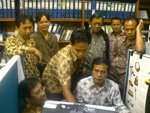
One of my boss blog contains my pictures with some of my friends, get together in front of the computer as if something seriously happened. But it was. He wrote an open-source title in that time and I was excited to gave my 1st comment on him. Click here to looked at it.

  Post a Comment

Building J2ME Application

J2ME stands for Java 2 Micro Edition, a kind of limited Java programming which lives on a Java enabled mobile gadgets such as cell phone. I used to developed these since there were some orders came to me for couple years ago.

To build this such application, you need full packages of J2SDK, the runtime environment J2RE and the J2ME compiler (and also - it will be nice if you are already - familiar with C programming language). My Favorite J2ME compiler is SunOne Studio Mobile Edition. It’s IDE is great and so powerfull to build various Java applications.

click to enlarge
I’d like to show you about a sample how to build an J2ME application. This application called JogjaGuide, a kind of mobile information center which brings you fast seeking about important place on Yogyakarta city you should go in a hurry. Basically, it also need a web server since the application requesting data over http protocol. Just another similar technique equally with SOAP which I’ve been explained 2 days ago. Anyway, let’s see the JogjaGuide UML (universal modeling language) plan below:

The UML Statechart Diagram
click to enlarge

The UML Activity Diagram
click to enlarge

First of all, you have to link the J2ME standard library to support your programming in the code editor. It’s typically uses clause on Delphi or include syntax on C++/PHP.

import javax.microedition.rms.*;
import javax.microedition.midlet.*;
import javax.microedition.lcdui.*;
import javax.microedition.io.*;

import javax.microedition.io.Connector;
import javax.microedition.io.HttpConnection;
import javax.microedition.io.StreamConnection;

import java.io.DataOutputStream;
import java.io.DataInputStream;
import java.io.InputStream;
import java.io.OutputStream;
import java.io.IOException;

import java.util.*;

Then, you have to define the public class, the variable, the objects, and the form manually. Go find your self the example related to it and match it to your application, since it will used up more than 10 pages if I write it down completely!!!. As the UML picture displayed above, I assumed that you already know the work flow. I am just telling you the core of the connection request from mobile to the server on the internet.

In mobile application, this is what you have to define:

public void coreConnection()
{
HttpConnection conn = null;
InputStream is = null;
OutputStream os = null;
StringBuffer stringBuffer = new StringBuffer();

byte[] receivedData = null;

url = "http://target.script.on.the.internet.complete.with.the.parameters;break;

conn = (HttpConnection)Connector.open(url);
System.out.println("sb = <" + url + ">");

byte[] postData = createPostData();
conn.setRequestMethod(HttpConnection.POST);
conn.setRequestProperty("IF-Modified-Since","20 Jan 2001 16:19:14 GMT");
conn.setRequestProperty("User-Agent","Profile/MIDP-2.0 Confirguration/CLDC-1.0");
conn.setRequestProperty("Content-Language", "en-CA");
conn.setRequestProperty("Content-Type", "application/x-www-form-urlencoded");
os = conn.openOutputStream();
is = conn.openDataInputStream();
int ch;
while ((ch = is.read()) != -1) {
stringBuffer.append((char) ch);
}
// display the result here
}

And the final result is exactly likes the pictures below:


The complete binary and source includes you might find on my other site at http://www.skripsionline.cjb.net or have a contact with me directly.

  Post a Comment

Google Earth: Yet Another "Spyware" Tool

Google Earth is an awesome application. It act like a spy in most detective movies. You can explore the earth more detail just the same way as you view it from the air with a stealth airplane. It is an application a must have for army or terorist which want to shoot a bomb on a specific target area precisely since it's can displayed both latitude & longitudinal information completely.

Anyway, I was playing around & tried to figured out how are my daily tracks from my house into my office building. And below is the image.

click to enlarge

What about others city? I also tried find out where my house in yogyakarta take position at. Well, here is the results.

click to enlarge


click to enlarge

Well?

  Post a Comment

SOAP is not so slippery then soap

SOAP (Simple Object Access Protocol) is not a new technology, however it’s technique can double size the security sides and supporting multi-platform application accessibility. As you know, the SOAP method is unique, it’s accessing the database not with the application own hands. So what is the others hands? Sure, XML (eXtensible Markup Language) as the web service did.


Usually, SOAP implemented in the most of web based applications, but few of it used as the part of the application modules. Why? Because it is so complicated, I guess. The SOAP technique require server’s RPC (Remote Procedure Call) before it can connect to the databases. This thing is always left by the programmers since it will decrease the application performance.

However, I’ll give you an example how to create SOAP based application instead of the RPC it self. I developed this using PHP programming (even it is wide large support also by the ASP programming). To reduce both the code size and your head ache, I’ll implemented a class named nusoap.php which available at http://dietrich.ganx4.com/nusoap.

What you need is to create both the client and the server module. The client module is a part of the front-end while the server module is a part of the back-end. To shorten this post, I’ll just explained you a module which process the login validation.

In the server module, you have to create the server object, register the lookup service and finally send the result as a SOAP response over HTTP.

// create the server object
$server = new soap_server;

// register the lookup service
$server->register('login');

// send the result as a SOAP response over HTTP
$server->service($HTTP_RAW_POST_DATA);

In the client module, you have to define the parameter also the server file target, create client object, run the RPC backstage, and finally release it after accepting the response.

// define the parameter
$param =
array('user_name'=>$user_name,'passwd'=>$passwd);

// define the
server file target
$serverpath ='http://localhost/soap/server.php';

// method namespace-nya
$namespace="urn:xmethods-SOAPWebService";

// create client object
$client = new soapclient($serverpath);

// run the RPC
$is_login =
$client->call('login',$param,$namespace);

// kill object
unset($client);


So simple isn’t it? Not exactly the hard code you expected before. Please have a try and share your experiences.

  Post a Comment

A Call from Red Hat Staff

Yesterday morning at 10.00 am, my cell phone was ringing. It displayed "unknown" caller on the lcd's. As like usual, I ignored the ringing since I though somebody by using IM3 hidden number has been playing on me.

Click to enlarge... Click to enlarge...

At 03.00 pm, it was ringing again and displayed the same "unknown" caller. Well, it was ods. Maybe one of my clients needed me right away, I though again. I was ready to picked up the phone and said "halo...". Someone out there with english blended by chineese malay accents replied "hello, can I speak with mr.eko? I am an agent from redhat asia-pacific regional..." etc etc. I was absolutely surprised since it was from redhat staff. He gave some informations regarding to their LINUX commercial products compared to fedora core free releases. Two thumbs up for their quick respons! (even I'm not their customer yet).

Well, indeed earlier in the morning, I used to made a contact with Mr. Rahul Sundaram (the fedora core help desk and bugs searcher) asking about un-existing technical support of fedora core projects implemented on the company I've been worked at. However, he replied my question and also forwarding it to the redhat official support staff.

Now, I am seriously curious about what is reside inside the redhat enterprise linux 4. Is it compatible with dosemu 1.3.1? How far the problems show up compared due to tons failed hardware in fedora core 4? Is there any revision regarding to printing manager and support to my incoming projects (RAW printing with delphi on crossover)? Is there any differents with the kernel version (fedora core 4 with 2.6.11 and redhat enterprise linux with 2.6.9)? We'll see it after I found it, ASAP.

  Post a Comment

Building Direct3D Application from Delphi

Yesterday, I wrote how to build Direct3D application from Borland C++ Builder. But this time, i'll explained to you how to build using its "twin brothers" Borland Delphi. Well, the step by step it self is not so differ from the previous article. However, I was able to write this post since there were projects came over me last weeks regarding to the use of Direct3D on Borland Delphi 6 (BD6).

Firstly, you have to create a 3D object and export it to 3DS format file and then re-convert to X format file with tool conv3ds just like ussual (give a final file name with my_object.x). The texture design also have the same manner. You have to provide a picture with 256x256 pixel from image editor you likes and named it with my_pic.bmp.

The main differences came since i've use a component dedicatedly as an Direct3D retained mode (D3DRM) programming level. So, the code will absolutely more shorter because the primary initialization handled by the component. See this complete example below about how to show the 3D object on form:

uses dxtools, d3drm, d3drmobj, D3DTypes, D3DRMDef, DDraw, D3D, D3DCaps;
protected
procedure WMActivate(var Msg: TMessage); message WM_ACTIVATE;

//-----------------------------------------------------------//
//
template D3D //
//-----------------------------------------------------------//

procedure TForm.simulasiGO();
var cpos: D3DVECTOR;
begin
with D3DRM do
begin
if Initialized and not Failed then
begin
CenterScene;
DXCheck(Camera.GetPosition(Scene, cpos));
DXCheck(Camera.SetPosition(Scene, cam_x, cam_y , cam_z));
DXCheck(SubScene.GetPosition(Scene, cpos));
end;
end;
end;

procedure TForm.WMActivate(var Msg: TMessage);
begin
inherited;
D3DRM.ActivateCallback(Msg);
end;

procedure
TForm.D3DRMBuildScene(
Sender: TObject);
begin
D3DGM.LoadFile(my_object.x');
end;

procedure
TForm.Timer1Timer(Sender: TObject);
begin
timer_counter:=timer_counter+10;
with D3DRM do
begin
if (timer_counter<=(t*1000)) then DXCheck(SubScene.SetRotation(Scene,0,0,1,akselerasi)) else DXCheck(SubScene.SetRotation(Scene,0,0,0,0));

end;
end;

Pretty simple, isn't it? Okay, make a compile and here it is a snapshot of the application i've been made (a simulation of physic lessons material).

  Post a Comment

Building Direct3D Application from C++ Builder


This article just remind me to my final college comprehensive exam on year 2002 (tugas akhir/skripsi, see it in my personal biodata page). I was picked up a rarely caption titled DirectX game programming which never exists yet before on my campus in that time. Majority, many of final exams submited had titled around of databases applications and I was challanged to create something differents.

Basically, I was inspired from a popular game called Quake III Arena releases by Id software. So, I was purposed to create a 3rd person shooting game just like that one. I used the Borland C++ Builder 4 (BCB4) compiler since its powered by open wide library such as DirectX header files which was supported by microsoft.

What you need to create this kind of application is just more than BCB familiarly used up. But, there are lots of extras thing you should know, such:
1. Some knowledges about physics and science like matrix operations, vectors and cartezian triple point coordinates. See this explanation.
2. Skills about how to create meshes with 3DStudioMax (or others similar tools which could create a 3DS file format)
3. Skills about how to create plain pictures (skin textures) with image editor (or others similar tools which could create a BMP file format - I usually used Adobe Photoshop)
4. A converter tools named conv3ds.exe used to re-convert 3DS files into a standard Direct3D .x extension.
5. Direct3D C++ headers file named d3dapi.h. Just make a search on google.

Okay, first of all, you have to create a 3D object from tools (such 3DStudioMax) that can export the files into 3DS format (eg: from 3DStudioMax, save the file with name my_object.max then export it into name my_object.3ds). Convert the my_object.3ds file by conv3ds.exe until a new file created with name my_object.x.


Create a 256x256 pixel pictures from image editor and save it with name my_pic.bmp. This picture made to texturizing the my_object.x file later from the BCB4 editor so that the 3D object in application will looked wearing a "clothes".


Continued to the BCB4 compiler. There are lots of procedures to define the Direct3D application. But, I'll give you a short resume step by step how to make it done.
1. Include the d3dapi.h from the cpp unit file.
2. Create a Direct3D initialization to recognize the inherited objects from the header file.
// scene initialization
if (!scene)
{
scene=new TScene;
scene->Create();
}

// camera initialization
if (!camera)
{
camera=new TCamera;
camera->Create(Display->Handle);
scene->Add(camera);
camera->…
}

// lighting effect initialization
if (!light)
{
light=new TLight;
light->Create(D3DRMLIGHT_AMBIENT,color,color,color);
scene->Add(light);
camera->Add(light);
light->…
}

// load the my_object.x file
if (!map)
{
map=new T3DObject;
map->Load("my_object.x");
map->…
// and give it clothes
map->AddTexture("my_pic.bmp",D3DRMWRAP_FLAT,
0,0,0,
0,1,0,
0,0,1,
0,0,
0.05,0.05);
if (scene) scene->Add(map);
}
Application->OnIdle=&OnIdle;

3. Finally, add this syntax to show it on the form
void __fastcall TForm::OnIdle(TObject *Sender, bool &Done)
{
Done=False;
scene->Tick();
camera->ShowImage();
}

4. That's all.

Okay, what you will see below is just the screenshoot about my application named "Electraglide Zone".


The application packaged with bundled CD installation approximately sized about 250Mb. Perhaps you would like to try out and make a reviews?

  Post a Comment